The problem with email and chat
Email and messaging apps are good at conversations and poor at records. Six weeks into a project, nobody can say with confidence which version of the homepage was approved, who approved it, or whether the last change request was accepted. Each person keeps their own picture of the project, and the pictures drift apart.
The cost is rarely one big mistake. It is a slow tax: time spent searching, rework after a misunderstanding, and clients who feel they have to chase for news.
What a portal should hold
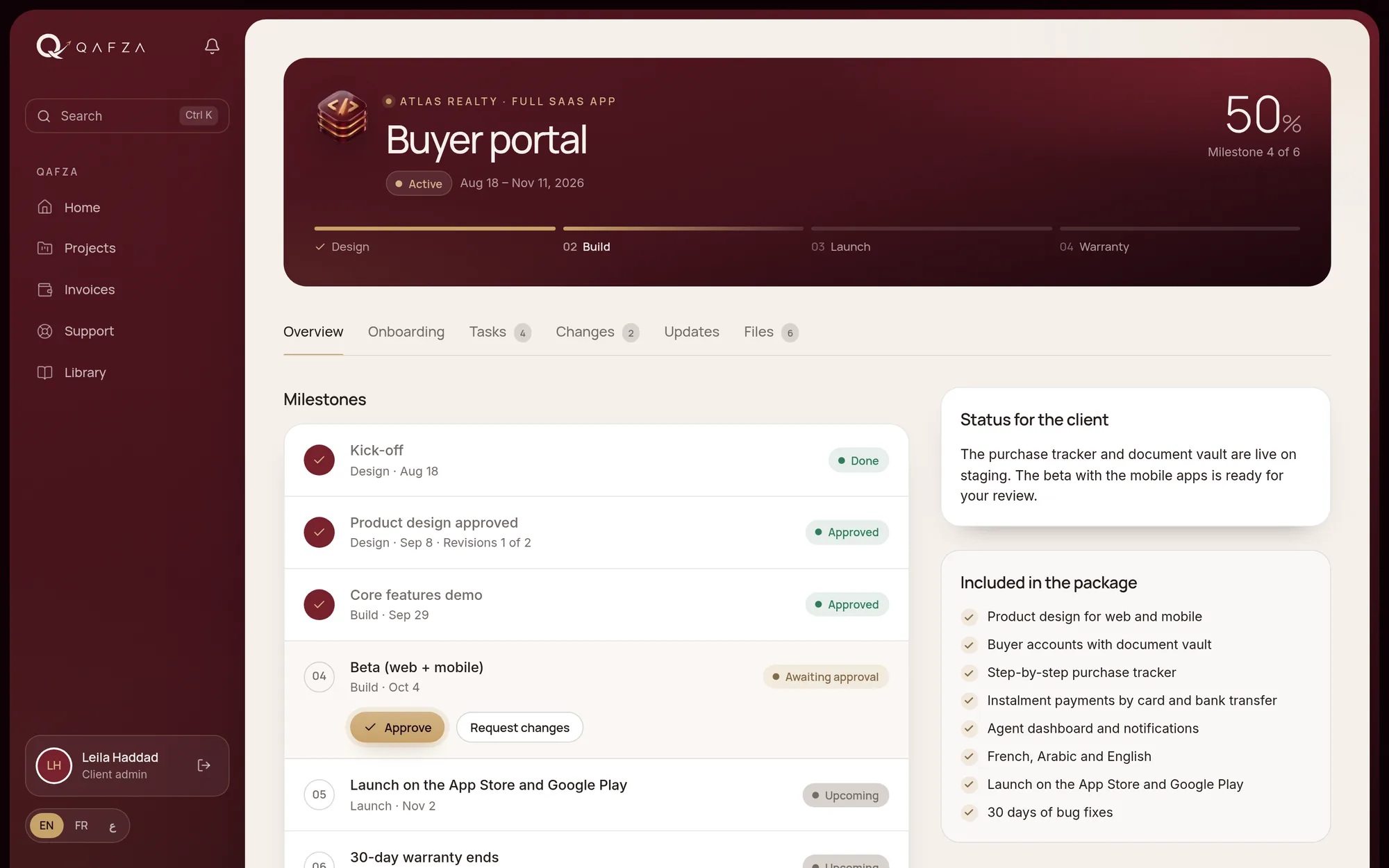
A good portal is not a second inbox. It is the single place where the facts of the project live. At minimum:
- A status line in plain words: what is happening now and what comes next.
- Milestones with dates, so everyone sees the same plan.
- Approvals in writing, with the number of revision rounds left at each stage.
- Files and deliverables, versioned, in one library.
- Change requests that are described, quoted and decided before any work starts.
- Support requests with a clear response time once the project is live.
Internal by default
Teams need room to think out loud. A portal should separate internal notes from what the client sees, and default to internal. The client sees decisions and progress; the team keeps its working conversation. That separation is what lets people write honestly in the tool instead of moving the real discussion back to chat.
The client should never have to ask where things stand. The answer should already be on the screen.
Approvals that mean something
An approval button is only useful if it records who approved, when, and what exactly they approved. Pair it with a fixed number of revision rounds per stage and both sides know where they are: feedback is welcome, and the plan stays on schedule.
In the client's language
If your clients work in French or Arabic, the portal should too, including right-to-left layout for Arabic. A portal the client cannot read comfortably will not be used, and an unused portal is worse than none.
How we run it at Qafza
Every Qafza project comes with a private client space built on our own system. Clients sign the proposal there, complete onboarding, follow milestones, approve deliverables, request changes and open support tickets, in English, French or Arabic, on desktop or phone. We built it because we needed it, and it is the same system we can set up for agencies and clinic groups under their own brand.
 Qafza teamOctober 2, 2026